A notes app built for Windows,
not ported from a browser
Snoq is a native WPF application - not an Electron app. It starts fast and feels like software that was made for Windows rather than adapted to run on it.
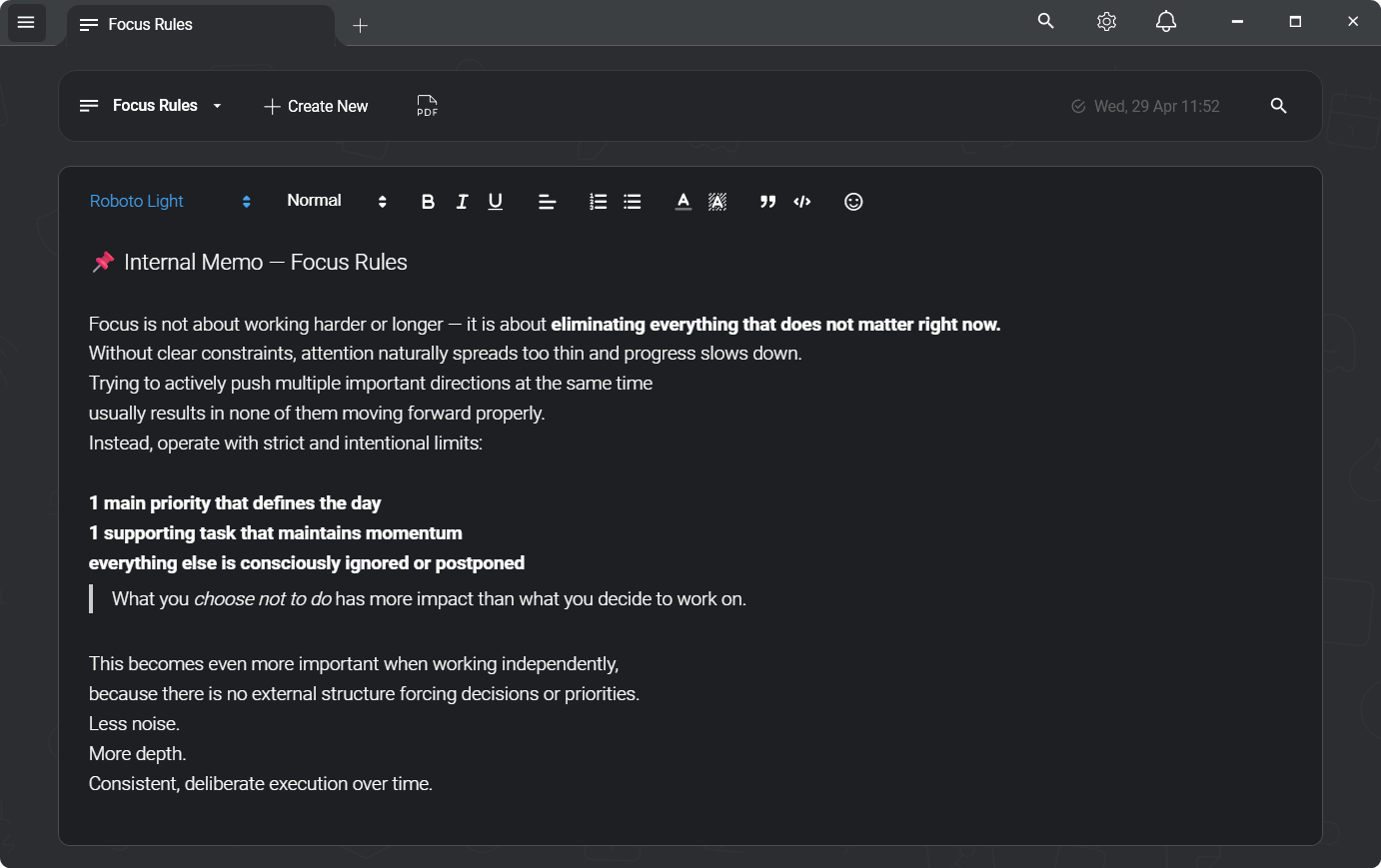
Most notes apps on Windows are web apps in disguise
Notion, Obsidian, Standard Notes, Joplin - all Electron apps. Electron ships a full Chromium browser with every install, which is how apps built for the web end up running on the desktop. It works, mostly. But the cost is measurable: a fresh Electron app sitting idle can use 200–400 MB of RAM before you have written a single word. Startup is slow because launching Chromium is slow.
Users who care about this notice it. The window feels slightly off - text rendering, scrolling physics, the way fonts look - because the UI is a webpage, not a Windows control. On a machine with ten browser tabs, Slack, and a few development tools already open, another Chromium process for a notepad is noticeable overhead.
Not "bank-grade" — these exact parameters
"Encrypted" is a word every notes app uses. Here is what it means here, written out so you can check it rather than take it on trust. Applied to every note, before it is written to disk.
- Cipher
- AES-256-CBC
- Authentication
- HMAC-SHA256 (Encrypt-then-MAC)
- Key derivation
- Argon2id
- KDF parameters
- 64 MB · 3 iterations · 2 threads
- Per-note IV
- 16 bytes, random
- Key lifetime
- Memory only, zeroed on lock
- Server
- None — nothing to breach
- Recovery
- None, by design
One gap, stated plainly: there is no automatic lock on idle yet. You lock Snoq with a hotkey, the title-bar button or the tray.
Read the full security architectureNative apps are rarer on Windows than they should be
Building native on Windows means WPF or WinUI - the Windows Presentation Foundation or its successor. These are real Windows toolkits: GPU-accelerated rendering, proper DPI scaling, system font rendering, smooth integration with Windows accessibility and input. They produce apps that feel like part of the operating system.
Most developers choose Electron instead because it lets them share code across Mac, Windows, and Linux. That's a practical engineering decision, and for many tools it's fine. But for a notes app that you open every day, the difference in feel and resource use adds up.
Snoq is built on WPF - the Windows-native UI framework
Snoq's application shell is a native WPF (.NET) app. The window, the tabs, the note list, the sidebar, the title bar lock button - all native Windows controls and custom WPF panels. No Chromium instance managing the application shell.
The editor inside the note is a Quill.js rich text editor running in an embedded CefSharp component - a sandboxed Chromium renderer used specifically for the editing surface. This is how you get a full-featured rich text editor (headings, code blocks, inline images, hyperlinks) while keeping the application shell native. CefSharp is embedded - it is not Electron. You get one sandboxed renderer for the editor, not an entire Chromium application wrapping your notes app.
The result is fast startup and a UI that integrates naturally with Windows - DPI scaling, window management, system theme detection for dark and light mode.
What native means for your daily workflow
Fast startup
No Chromium bootstrap, no web engine initialisation. Snoq opens quickly - press the hotkey, notes are there. The global hotkey lets you open the app without touching the taskbar.
Native shell, one web component
The window, note list, search, tabs, settings and encryption are all C# and WPF. Only the note editor itself is a web component - Quill.js in an embedded browser control - because that is what gives you rich text without a bespoke editor engine.
Proper DPI and font rendering
WPF respects Windows DPI settings natively. Text scales correctly at 125%, 150%, and 200% without the blurriness that web-rendered apps sometimes produce at non-100% DPI.
System theme integration
Dark and light mode follow your Windows system theme automatically. No separate setting to manage inside the app - it switches with your system.
Silent background updates
Updates apply in the background via Squirrel.NET without interrupting your session. No pop-ups, no "restart required" banners mid-note. The app stays current without demanding your attention.
No admin rights needed
Snoq installs to your user folder with no administrator privileges. No UAC prompt, no IT approval required. Uninstall is equally clean.
The editor is a full rich text workspace
Native shell, rich editor. Headings, ordered and unordered lists, code blocks with syntax highlighting, inline images, hyperlinks, blockquotes. Multi-tab workspace - open several notes simultaneously, switch instantly, open a note in a new tab with a middle-click or a button.
Full-text search across every note, not just titles. Note categories for organisation. Starred notes for quick access. Sort notes by date or name. PDF export. Encrypted vault backup and restore. Nine editor fonts with configurable size, line height, and max content width. Spellcheck on or off.
Optional AES-256 encryption - prompted on first launch - with an instant-lock hotkey. Lock the app before you step away, password required to unlock. Everything stays local; nothing is synced.
Honest questions
"You said it uses CefSharp - isn't that Electron?"
No. Electron is a framework where Chromium IS the application shell - the window, the menus, the entire UI is a web page. CefSharp is an embedded renderer: a Chromium component sandboxed inside a WPF application for one specific purpose - running the Quill.js rich text editor. The application shell, window management, tabs, and all native controls are WPF. You get one sandboxed renderer for the editor surface, not a full web-app framework running everything.
"Why not UWP or WinUI 3?"
WPF is a mature, stable framework with excellent library support - including for CefSharp and the encryption stack. WinUI 3 is the future direction for Windows native apps, but the migration path is non-trivial and WPF delivers the same user experience for this app's feature set. The difference between WPF and WinUI 3 is not something users would notice in daily use.
"Does it work on Windows 10 or just Windows 11?"
Both. Windows 10 and Windows 11 are fully supported. No admin rights needed to install.
"Is it available for Mac or Linux?"
No. Windows only. Building native on one platform is how you get a native experience on that platform. Snoq is not ported or wrapped - it is written specifically for Windows, and that specificity is part of why it feels the way it does.
Related
Private notes app for Windows
The full privacy stack - offline, encrypted, no account.
Encrypted notes app for Windows
AES-256 encryption built into the native app.
Snoq vs Obsidian
Both local-first Windows apps - native vs Electron, rich text vs Markdown.
Snoq vs Joplin
Native WPF vs Electron, WYSIWYG vs Markdown.
A notes app that feels like Windows
Free, native, no account. Windows 10 and 11.
Download Snoq freeWindows 10 / 11 - ~166 MB - no admin required