An encrypted notes app for Windows
that keeps everything local
Snoq encrypts every note with AES-256 before it touches your disk. No account, no cloud sync, no server anywhere in the picture.
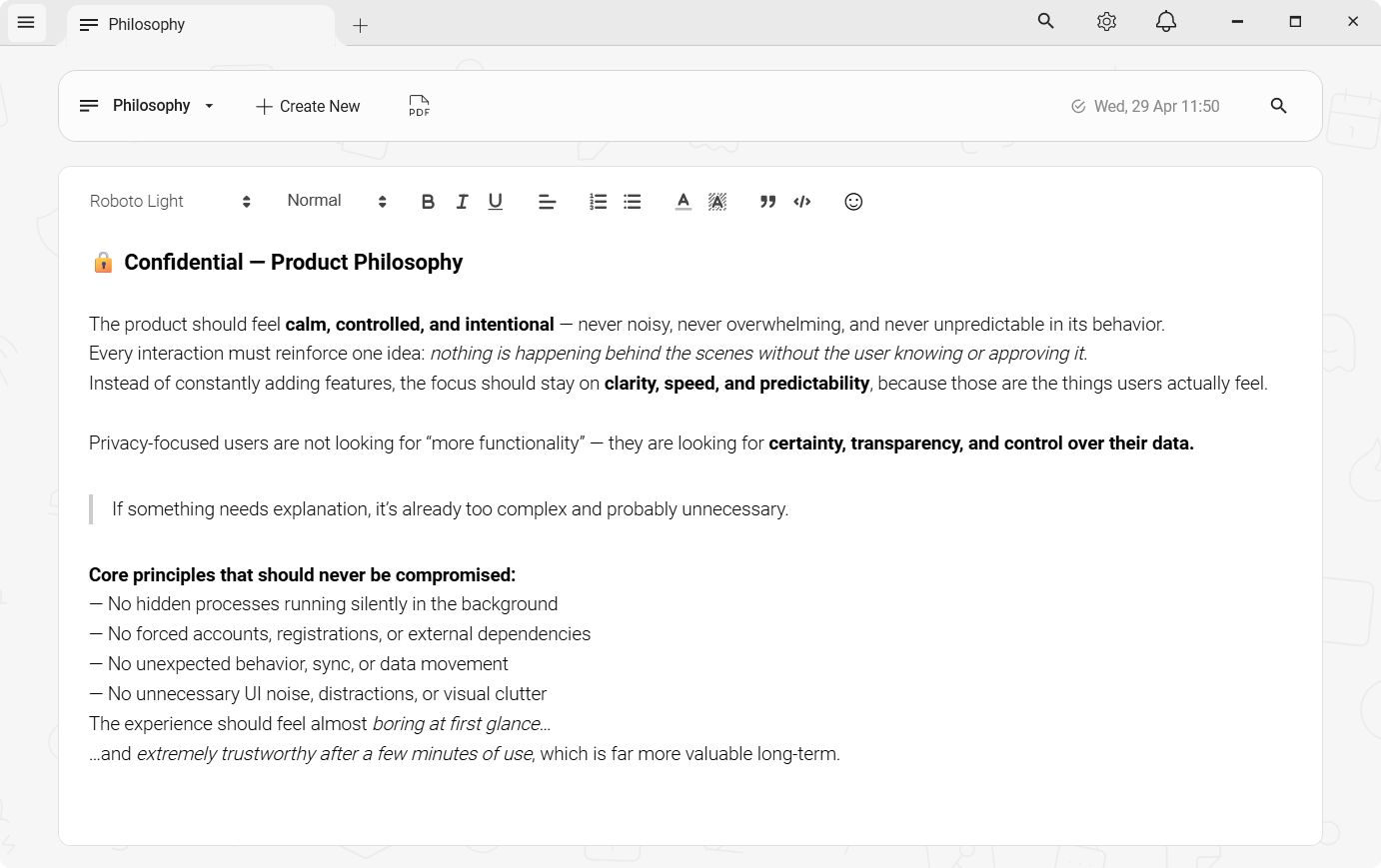
Most notes apps treat privacy as an afterthought
The default in almost every notes app is to sync your content to a server. Sometimes that's opt-in; often it's the only mode the app works in. Notepad, OneNote, Notion, Evernote, Google Keep - all of them assume your notes should live somewhere they manage.
Some apps add encryption on top of the sync. That's better than nothing, but the encrypted data still travels across a network to a third-party server, sits in their infrastructure, and is decrypted according to their code running on their systems. You're trusting their implementation, their hiring decisions, and their response to government requests. That's a long chain of trust for a notepad.
Not "bank-grade" — these exact parameters
"Encrypted" is a word every notes app uses. Here is what it means here, written out so you can check it rather than take it on trust. Applied to every note, before it is written to disk.
- Cipher
- AES-256-CBC
- Authentication
- HMAC-SHA256 (Encrypt-then-MAC)
- Key derivation
- Argon2id
- KDF parameters
- 64 MB · 3 iterations · 2 threads
- Per-note IV
- 16 bytes, random
- Key lifetime
- Memory only, zeroed on lock
- Server
- None — nothing to breach
- Recovery
- None, by design
One gap, stated plainly: there is no automatic lock on idle yet. You lock Snoq with a hotkey, the title-bar button or the tray.
Read the full security architectureLocal plaintext is no better
The alternative people reach for is a local app - Notepad, Typora, Obsidian - where files live on their machine. That solves the cloud problem but leaves notes sitting in plaintext. Anyone who can access your disk can read them. That includes malware, other users on a shared machine, forensic tools, and a stolen laptop.
What's missing is a notes app that combines local storage with actual encryption - so your notes don't go anywhere, and if someone gets to your disk they still can't read them.
Snoq encrypts every note before it hits disk
When encryption is enabled, Snoq encrypts each note with AES-256-CBC and authenticates it with HMAC-SHA256 before writing anything to the local database. The key is derived from your password using Argon2id - a memory-hard key derivation function designed specifically to resist brute-force and GPU-accelerated cracking attacks.
Every note gets its own random initialization vector, so two notes with identical content produce completely different ciphertext. The HMAC is computed over the IV and ciphertext together, which means any tampering - a flipped bit, a corrupted database, a manipulation attempt - is caught before decryption even starts.
The encryption keys live only in memory. When you lock Snoq - via the title-bar button, the global hotkey, or from the system tray - both the AES key and HMAC key are zeroed out immediately. Nothing is cached, nothing is persisted, nothing is left behind.
What you get
AES-256-CBC + HMAC-SHA256
Encrypt-then-MAC construction - authentication is verified before any decryption is attempted. Not just encrypted: tamper-proof.
Argon2id key derivation
Your password is never stored. Argon2id derives the encryption key on unlock - 64 MB memory cost, 3 iterations, 2 threads. Brute-force is expensive by design.
Per-note random IV
Every note gets a unique 16-byte initialization vector. Identical content produces different ciphertext each time. No patterns to exploit.
Keys zeroed on lock
Lock Snoq via hotkey or title-bar button and both key buffers are cleared immediately. Password prompt required to unlock. No residue left in memory.
Encrypted vault backup
Export your entire note vault as an encrypted zip archive. Copy it to a USB stick or cloud drive - encryption travels with it. Password required to restore.
Zero telemetry
No analytics, no crash reporting, no usage data. Snoq only contacts the update server to check for a newer version. Notes never leave your machine.
It is still a proper notes app
Encryption-first tools often feel like security products with a note field tacked on. Snoq is the other direction: a full rich text editor - headings, lists, code blocks, links, inline images, 9 font choices - where the storage layer just happens to be encrypted. The writing experience is the point; the security is the foundation underneath.
Multi-tab interface, full-text search across all your notes, note categories for organisation, starred notes, PDF export, dark and light theme - everything a notes app should have. None of it behind a paywall, none of it requiring an account, none of it phoning home.
The full technical detail of the encryption implementation - ciphertext layout, key derivation parameters, unlock flow, password-change safety - is documented on the /encryption page.
Honest questions, honest answers
"Is encryption on by default?"
Snoq prompts you to set an encryption password on first launch and strongly encourages it. You can skip it and enable encryption later from Settings → Encryption. If you never enable it, notes are stored as plaintext locally - the choice is yours, but the app makes the secure path the obvious path.
"What if I forget my password?"
There is no recovery mechanism - by design. The password is the only input from which the encryption keys can be derived. Snoq never stores it, never transmits it, and has no backdoor. Keep your password in a password manager.
"Why not AES-GCM?"
AES-256-CBC with HMAC-SHA256 in an Encrypt-then-MAC construction provides authenticated encryption equivalent in security to AES-GCM when implemented correctly - and Snoq implements it correctly: random IV per note, HMAC over IV+ciphertext, constant-time verification before any decryption. The important property is authentication, and every note is authenticated.
"What about cloud sync?"
Snoq has no cloud sync and won't add it. The offline model is the product's identity. If you need notes on your phone or multiple devices, Standard Notes or Joplin are honest answers - see the Standard Notes comparison for a full breakdown. Snoq is for people who've decided local-only is the right model for them.
"Does it work on Mac or Linux?"
Windows only - Windows 10 and Windows 11. The native WPF stack doesn't cross platforms. That focus is what makes the Windows experience feel right.
Related
Offline notes app - no cloud sync
Notes that physically cannot leave your machine.
Private notes app for Windows
Privacy as a design principle, not a checkbox.
Snoq vs Standard Notes
Local encryption vs cloud E2EE - a detailed comparison.
How Snoq encrypts your notes
Full technical detail: algorithms, parameters, unlock flow.
Your notes, encrypted, on your machine
Free to download, no account required. Windows 10 and 11.
Download Snoq freeWindows 10 / 11 - ~166 MB - no admin required